Article
Robotic painting without a programmer: how a LESTA robot learns from the painter
Published
A self-teaching robot learns the gun path when the painter performs it once with the robot arm – without writing code. We explain how it works, who it makes sense for, what the robot needs around it and when offline programming is the better route.

What teach-by-demonstration means for a robot
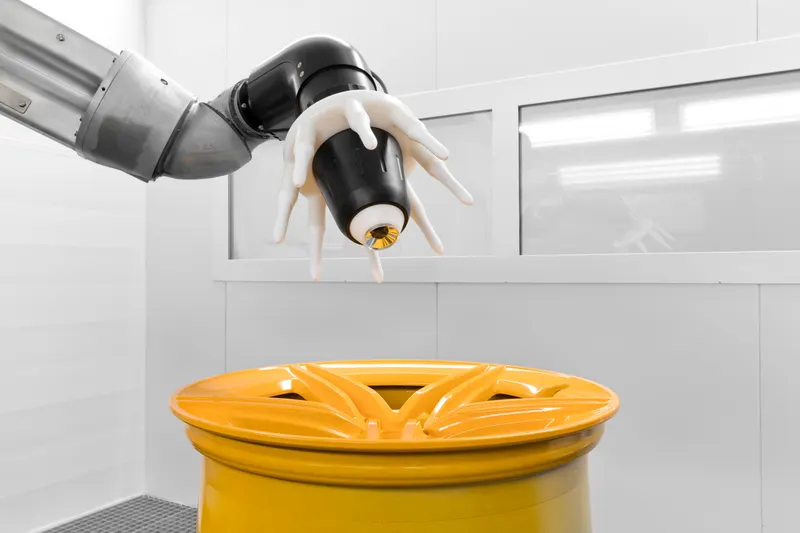
With teach-by-demonstration, the robot does not learn the gun path from a program but from the painter. An experienced painter performs the work cycle once with the robot arm, the robot records every movement in real time and then repeats it on its own, cycle after cycle. According to LESTA, this requires no code writing and no programming of paths from scratch.
The arm is easy to guide during teaching because the robot disengages its motors and the weight of the aluminium arm is carried by pneumatic-hydraulic balancing. According to LESTA, the effort of guiding the arm is almost the same as working with a manual spray gun, and the low friction directly affects the quality and repeatability of the result.
The painter guides the actual robot arm, so according to the manufacturer the robot reaches every recorded point and the recording does not need to be corrected afterwards on a computer. Once teaching is complete, the program simply has to be started.
In the LESTA range, the LEBOT MV A5 (5 axes) and LEBOT MV A6 (6 axes) robots are taught by guiding the arm. The other models are taught differently: the LEBOT DG with the GESTURE camera system, which captures the movement of the gun without the robot arm, while the LEBOT I A6, C and WP robots are mainly programmed offline.
How it works
How a painting robot learns a new part
A LESTA robot learns the spray gun path in one of three ways: the painter performs it once with the robot arm, coats it once with a spray gun tracked by cameras, or a programmer prepares it in the computer on a 3D model of the part. The robot then repeats the program by itself.
Hand guiding (self-learning) – LEBOT MV A5 and MV A6 robots only: the motors are disengaged and the painter guides the robot arm.
Select a step or click a part of the diagram – we will show what it does, related terms, questions and products.
- Motion and recording
- Control and signal
Description of all parts
- Teaching mode
The painter switches on self-learning mode. The robot disengages its motors so that the arm can be guided freely by hand; its weight is supported by compressed air.
- Hand guiding
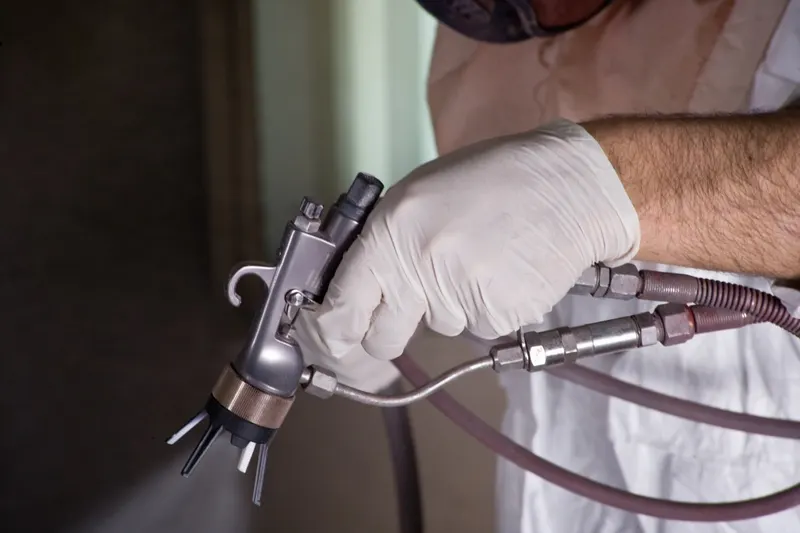
The painter guides the arm with the spray gun and performs the work cycle once, just as if coating the part manually.
- Hand guiding
The painter performs the work cycle once with the robot arm – making use of the painter's coating experience.
During teaching the motors are disengaged and the arm is supported by compressed air, so it is easy to guide. Low arm friction directly affects the quality and repeatability of the result. On a carriage, the robot "follows" the painter during recording (Follow Me). - GESTURE camera and spray gun with markers
Below the spray gun there is a handle with passive markers. The painter coats the first part manually and cameras record the 3D position of the markers – without the robot arm.
Recording does not depend on the robot arm, so it is also suitable for robots whose motors remain engaged – for example LEBOT DG. For particularly demanding applications, the manufacturer still recommends the self-learning LEBOT MV A6.
LESTA LEBOT DG → - PAINT STUDIO offline programming
A 3D model of the part, or of the entire booth, is loaded into the computer, spray gun paths are created and a simulation shows the robot's reach and the cycle time.
Meanwhile the robot can keep producing – programming does not stop the line. Key points of the path can also be recorded by physically moving the robot.
LESTA PAINT STUDIO →
- Hand guiding
- Motion recording
The robot records every movement in real time – on a carriage, including the travel along the rail.
- Path recording
The movement of the spray gun is saved as a path.
- Path recording
- Part program
The recording is saved as the part program. There is no need to write code or program paths – simply start the program.
- Part program
The path is saved as a program for the given part – without writing code. Programs can be called up by PRODUCTION MANAGER using a barcode or RFID tag.
LESTA automation and software →
LESTA PRODUCTION MANAGER →
- Part program
- Automatic coating
The robot repeats the program automatically, cycle after cycle.
- Painting robot
LESTA painting robot. Only the LEBOT MV series is taught by hand guiding; LEBOT DG is taught with the GESTURE camera or in PAINT STUDIO; LEBOT I A6, C and WP are programmed offline. - Automatic coating of parts
The robot repeats the program automatically, cycle after cycle. For a new part, a new program is recorded.
- Painting robot
Simplified teaching principle. LEBOT C can also generate the path itself from a scanner (EasyPROG); LEBOT PICCHIO and WP are set up by entering points. We will design the teaching method and the connection to the spray gun, pump and conveyor to suit your production.
Source: LESTA – pages for the LEBOT MV A6, MV A5, DG (Italian website), I A6, C and WP robots, and the GESTURE and PAINT STUDIO accessories (lesta.it).
Who teach-by-demonstration makes sense for
According to LESTA, teach-by-demonstration helps most where parts change frequently. A new part simply means demonstrating a new cycle, so ramp-up is shorter and production depends less on robot programming specialists. The manufacturer cites this as an advantage for mixed batches, non-standardised production, small series and frequently changing product variants.
For long, precisely repeating cycles, LESTA recommends a robot without teach-by-demonstration, for example the LEBOT I A6. Its path is programmed directly and the motors cannot be disengaged, but it can carry heavier or multiple guns and has a wider working range. Its advantage is not quick re-teaching but heavy parts, large surfaces and complex lines.
According to LESTA, teach-by-demonstration robots are used for coating wood (chairs, doors, windows, furniture), metal, plastics and laminates. Besides liquid and powder coatings, the LEBOT MV A6 can also handle drying, flaming and spraying of gelcoat, glass fibres and adhesives.
Repeatability: the robot repeats what it has learned
Repeatability indicates how precisely the robot hits the same point when repeating a movement. LESTA data sheets state ±3 mm at the wrist for both the LEBOT MV A5 and MV A6, less than 1 mm for the LEBOT DG and ±0.05 mm for the LEBOT I A6. The LEBOT I A6 is built on a KUKA, COMAU or ABB industrial robot with LESTA control, so its figure is not directly comparable with a lightweight teach-by-demonstration arm. According to the manufacturer, the robot thus eliminates the piece-to-piece variations that are common with manual application.
The robot faithfully repeats the movement the painter showed it, so teaching should be done by an experienced painter. According to LESTA, the recorded path can later be fine-tuned in the PAINT STUDIO 3.0 software – for example the distance of the gun from the surface or the application angle – without changing the trajectory itself and without a new recording.
What the robot needs around it
The robot is only one part of a painting cell. To paint reliably, it needs the following elements around it:
- Spraying equipment – the gun on the robot wrist and the pump or tank that supplies it with material. The atomisation method is chosen in the same way as for manual painting, see Airspray, HVLP, Airless or AirCoat and choosing a spray pump. The LEBOT MV A6 wrist carries 4 kg.
- The booth – LESTA robots are supplied in ATEX design (LEBOT MV A6 for zone 2/22, cat. 3G). The MV A6 data sheet states the dimensions of the robot, working area and booth for each version.
- Part positioning – a carousel with 2 to 4 arms brings the parts in front of the robot and rotates them so that the robot can reach all sides; while one arm is being painted, the others are being loaded. A travelling carriage adds an axis to the robot, and during self-teaching the movement along it is recorded as well.
- Conveyor and synchronisation – with a continuous conveyor, the Syncro system with a sensor on the conveyor drive automatically adapts the program execution speed to the conveyor speed.
- Part recognition – during teaching, Image MATCH 2D stores the shape of each part type as scanned by light barriers and, in production, automatically calls up the correct program for it, even when the parts arrive mixed.
- Protection and cleaning – an anti-collision device protects the gun and arm in the event of an impact, and a cleaning station washes the nozzle after a set number of cycles.
How it works
How an automated painting cell works
The part arrives at the booth with a tag or barcode. Production control uses it to call up the correct program and recipe, the robot paints the part and cleans its spray gun automatically after a set number of cycles. Changing parts requires no reprogramming.
Select a step or click a part of the diagram – we will show what it does, related terms, questions and products.
- Control and signal
- Motion and recording
Description of all parts
- Part arrival
The carrier with an RFID tag arrives at the booth and the antenna reads the tag – or the operator scans a barcode.
- Part with RFID tag or barcode
The tag is attached to the hanger when the part is loaded; an antenna reads it when it arrives at the booth. Alternatively, a barcode and scanner can be used.
- Part with RFID tag or barcode
- Program selection
PRODUCTION MANAGER calls up the part's pre-stored program. The production sequence can also be monitored remotely (TAG WEB).
- PRODUCTION MANAGER – production control
Controls the production sequence and the programs for each part type. The operator can also select a program and the number of repetitions. Also works without LESTA robots.
LESTA PRODUCTION MANAGER →
- PRODUCTION MANAGER – production control
- Recipe
RECIPE MANAGER sets the spray gun parameters – flow rate, atomisation, fan width, opening delay and cycle time.
- RECIPE MANAGER – recipes
The recipe with the spray gun parameters is called up automatically when the program is loaded. It can also include gun cleaning. Also suitable for spray guns and reciprocators without a LESTA robot.
LESTA RECIPE MANAGER → - Paths from PAINT STUDIO
Paths prepared offline are assigned to programs and recipes. Taught programs (hand-guided, by camera) are used in the same way.
LESTA PAINT STUDIO →
- RECIPE MANAGER – recipes
- Painting
The robot paints according to the program. The rotation unit turns the part so the robot can reach all sides; with a continuous conveyor, the robot adapts its speed.
- Painting robot
The robot paints according to the program and recipe called up. With a continuous conveyor, it adjusts the program speed to the conveyor speed (Syncro).
LESTA painting robots → - ROTATION UNIT – part rotation
Rotates the part within the robot's working area – on an overhead conveyor about a vertical axis, or on the floor. This lets the robot cover all sides without additional robots.
LESTA ROTATION UNIT →
- Painting robot
- Gun cleaning
After a set number of cycles the robot moves to the cleaning station, the nozzle is cleaned with a brush in solvent and the robot returns to production.
- CLEANING STATION – gun cleaning
Stainless-steel stand with a brush in solvent and a pneumatic motor. After a set number of cycles the robot moves to it automatically, a valve starts the brush and the nozzle is cleaned.
LESTA CLEANING STATION →
- CLEANING STATION – gun cleaning
Simplified principle of the cell. Parameters can also be fine-tuned on samples in a separate SAMPLE MAKER cell and transferred to the line. We design the entire line – washing, drying, painting, oven and conveyors – to suit your production.
Source: LESTA – PRODUCTION MANAGER, RECIPE MANAGER, PAINT STUDIO, ROTATION UNIT, CLEANING STATION, SAMPLE MAKER and Syncro pages (lesta.it).
Offline programming as a second route
With offline programming, the path is created on a computer, not at the robot. A 3D model of the part (STL), or of the entire booth, is loaded into the LESTA PAINT STUDIO software, the gun paths are created and the simulation shows where the robot can reach and how long the cycle will be. According to LESTA, the software also checks whether the path would lead to a collision.
The main advantage is that the robot keeps producing in the meantime and programming does not stop the line. For each path, the speed, acceleration, distance from the part, angle and gun parameters are set. LESTA recommends this method especially for large parts, such as boats or tractors, where manual path recording is difficult.
Comparison: manual, teach-by-demonstration robot, programmed robot
| Feature | Manual painting | Self-teaching robot (LEBOT MV A6) | Programmed robot (LEBOT I A6) |
|---|---|---|---|
| Who determines the gun path | the painter, for every piece | the painter, once, by guiding the robot arm | a programmer – directly or offline on a computer |
| Writing code | not applicable | not needed | paths are programmed |
| Motors during teaching | not applicable | disengaged, the arm is supported by compressed air | cannot be disengaged |
| Repeatability at the wrist | result depends on the painter | ±3 mm | ±0.05 mm |
| Part change | – | a new cycle is demonstrated | a new path is programmed |
| Guns | – | wrist carries 4 kg | heavier or multiple guns |
| According to LESTA, suitable for | – | frequently changing parts, mixed batches | repetitive, precisely defined cycles, heavy and large parts |
What to prepare before deciding
LESTA recommends clarifying a few things before choosing a robot. The answers help to design the configuration and the working area correctly:
- Parts – types, dimensions and their variety; they determine the robot configuration and the size of the working area.
- Batches – production volumes, how often the part changes and how programs will be called up for the next order.
- Material – what will be applied and what coating system the part requires.
- Space – booth dimensions and whether the robot will stand on the floor, on a carousel, at a conveyor or on a carriage.
- Cleaning and people – how the gun will be cleaned between applications and who will be trained; according to LESTA, self-teaching does not require writing code.
How to get started
List your parts, batch sizes and material and contact us with this information. TECHNIKUM is a LESTA partner – we design the cell, supply and install the robot, train the operators and also provide service; more in the Robotic painting area. Before buying, you can try the equipment with your own material as part of the Demonstrations and sample trials service.
Is this an issue in your plant?
Tell us what you need – the technician for your area will get back to you.
Your technician
Patrik Pocisk
Sales and Marketing Director
- Phone – Patrik Pocisk: +421 905 855 000
- E-mail – Patrik Pocisk: pocisk@
technikum.sk - Patrik on LinkedIn
- Speaks: English, Slovak, Czech
Do you have a question on this topic?The AI adviser answers immediately
Your technician
Patrik Pocisk
Sales and Marketing Director
- Phone – Patrik Pocisk: +421 905 855 000
- E-mail – Patrik Pocisk: pocisk@
technikum.sk - Patrik on LinkedIn
- Speaks: English, Slovak, Czech
Frequently asked questions
What does self-teaching of a painting robot mean?
With teach-by-demonstration, the robot does not learn the gun path from a program but from the painter. An experienced painter performs the work cycle once with the robot arm, the robot records every movement in real time and then repeats it on its own, cycle after cycle. According to LESTA, this requires no code writing and no programming of paths from scratch.
Who is a self-teaching robot worthwhile for?
According to LESTA, teach-by-demonstration helps most where parts change frequently. A new part simply means demonstrating a new cycle, so ramp-up is shorter and production depends less on robot programming specialists. The manufacturer cites this as an advantage for mixed batches, non-standardised production, small series and frequently changing product variants.
What is offline robot programming?
With offline programming, the path is created on a computer, not at the robot. A 3D model of the part (STL), or of the entire booth, is loaded into the LESTA PAINT STUDIO software, the gun paths are created and the simulation shows where the robot can reach and how long the cycle will be. According to LESTA, the software also checks whether the path would lead to a collision.
Have a different question? Write to us – a technician will answer. Send an enquiry
Technical terms are explained in the glossary.